Digital Punch List Software: How PlanRadar Helps You Save Hours of Work

If your team is still chasing punch list items across WhatsApp threads, printed sheets, and a dozen photos in someone’s phone gallery, you already know the cost. Digital punch list software replaces that scattered process with one live list that every stakeholder can see, update, and close out from site — no office follow-up required.
For MENA and GCC contractors juggling multiple handovers at once, that single change is often the fastest, lowest-risk digital upgrade a project team can make. This is exactly how it cuts hours of admin work out of every closeout, and why GFT, as PlanRadar’s regional distributor, sees it as the entry point most teams should start with.
What Is a Digital Punch List, and Why Is It Replacing Paper?
A punch list — sometimes called a snag list or defects list — is the record of everything that has to be fixed before a contractor gets final sign-off and payment. Historically that record lived on a clipboard: an inspector walked the site, wrote down issues by hand, then someone in the office retyped them into a spreadsheet and emailed it to subcontractors. Every step in that chain is a place where an item gets lost, miscopied, or forgotten.
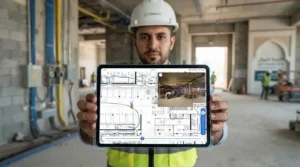
Digital punch list software collapses that chain into one step. An inspector opens the app on a tablet or phone, pins the defect directly to the floor plan or BIM model, attaches a photo or voice note, and assigns it to a subcontractor with a deadline — all before leaving the room. Paper punch lists, by contrast, “offer no flexibility. Once it’s done, it is difficult to add more inspections or minor changes,” as PlanRadar’s own guidance on punch list apps notes. That rigidity is exactly what this kind of tool was built to remove.
How Much Time Does Digital Punch List Software Actually Save?
Rework and unresolved defects are not a small line item. Industry-wide, rework and conflict resolution cost the construction sector an estimated $177 billion a year in the US alone, and rework routinely eats 5–10% of total project budgets — with some 2023 survey data putting the average closer to 7.9%. On projects without strong QA/QC discipline, avoidable rework becomes 21% more likely, and warranty exposure climbs by roughly 50%. None of that is punch-list-specific spend — it’s the cost of the same problem digital punch list software exists to catch earlier: defects that go unrecorded, unassigned, or unresolved until they’re expensive.
The regional numbers point the same direction. McKinsey has found that construction firms adopting digital tools see up to a 15% increase in productivity and up to a 45% reduction in project delays, and the World Economic Forum has linked smart-technology adoption to an average 20–30% reduction in operational costs. Digital punch list software is one of the fastest ways to capture that upside, because it removes the two most time-consuming parts of closeout: re-typing paper notes into a report, and chasing subcontractors to find out if an item is actually fixed.
Digital Punch List Software vs. Paper Punch Lists
Seen side by side, the difference explains most of how digital punch list software cuts hours out of every closeout: the right tool simply removes the steps where a paper process used to lose time.
| Element | Paper Punch List | Digital Punch List Software |
|---|---|---|
| Where items are created | On a clipboard, retyped later | Directly on the plan or BIM model, on site |
| Assigning work | Verbal or emailed after the walk | Assigned instantly, with a deadline, in the app |
| Subcontractor updates | Phone calls, WhatsApp, site visits | Subcontractors update their own items from any device |
| Documentation | Loose photos, separate from the list | Photos, video, and voice notes attached to each ticket |
| Reporting | Manually rebuilt in Excel or Word | Exported in a few clicks, by status or contractor |
| Editing after the walk | Difficult — the list is effectively fixed | Fully editable, in real time, by anyone with access |
| Visibility | One person’s clipboard | Every stakeholder, from site engineer to project executive |
What Should You Look For in Digital Punch List Software?
Not every app that calls itself a punch list tool solves the same problem. Before you commit a project team to one, it should cover four things.
Plan-and-model pinning. Every defect should sit exactly where it is on the digital plan or BIM model, not in a separate spreadsheet row that someone has to cross-reference later.
Real-time subcontractor access. Assigned teams need to see, update, and close their own items from a phone on site, at no extra license cost — otherwise the bottleneck just moves from the inspector to whoever re-enters the update.
One-click reporting. Closeout reports, organized by status or contractor, should export in minutes, not require someone to rebuild them in Excel the night before a handover.
Photo, video, and voice documentation. A written description of a defect is disputable. A photo, video clip, or voice note attached to the ticket at the moment it’s found generally isn’t.
PlanRadar’s digital punch list software was built around exactly this workflow: identify the defect during a site audit, create a digital ticket with full documentation, assign it with a deadline, and monitor progress on a live statistics dashboard until every item is marked resolved.
Real Numbers: What GCC and MENA Project Teams Gain by Going Digital
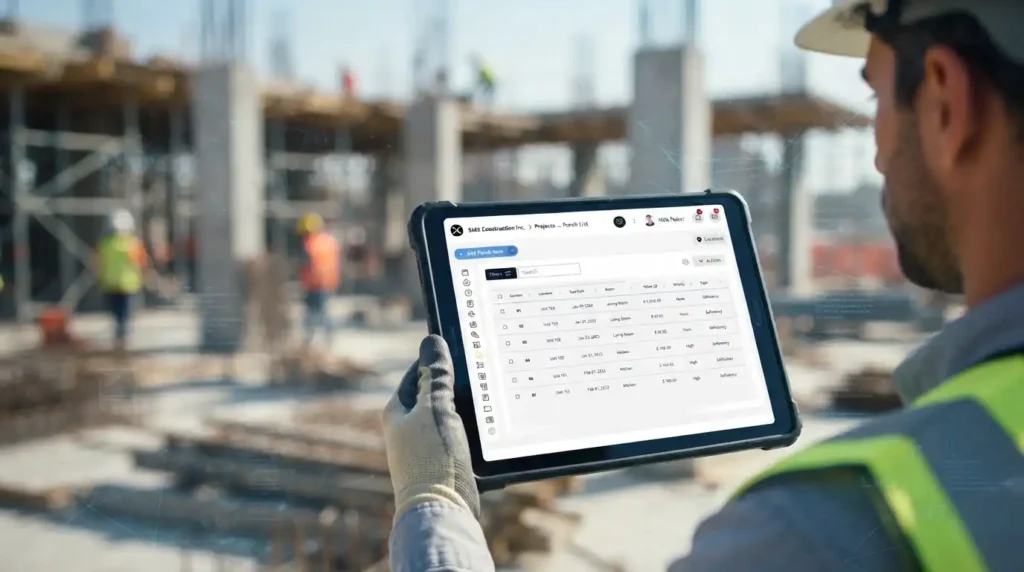
GFT has spent 20+ years supporting more than 800 MENA construction leaders across 3,500+ projects, and the pattern with punch lists is consistent across every one of them: the firms still running closeout on paper are the ones re-visiting the same defects two and three times. Digital punch list software doesn’t just save the inspector’s time on the walk — it saves the project executive’s time in the weekly status meeting, the QS’s time reconciling what’s actually outstanding before final payment, and the subcontractor’s time figuring out which version of the list is current.
Across the GCC’s dense pipeline of giga-projects and fast-track handovers, that adds up. A team running PlanRadar on a multi-tower handover can close out a floor’s defect list the same day it’s walked, instead of waiting for someone in the office to turn a stack of paper into a spreadsheet before subcontractors even see what they owe.
How Does PlanRadar's Digital Punch List Software Work On Site?

The workflow is deliberately simple, because the point of going digital is to remove steps, not add them.
The Workflow, Step by Step
- Audit and identify. Walk the site with a tablet or phone and mark every defect directly against the digital plan.
- Document instantly. Attach a photo, short video, or voice note to each ticket the moment it's created — no separate camera roll to manage later.
- Assign and set a deadline. Push the item to the responsible subcontractor immediately, with a due date attached, so nothing waits for an end-of-day email.
- Track progress live. A statistics dashboard shows open, in-progress, and resolved items at a glance, so project leads spot delays before they become disputes.
- Export the report. Generate a closeout report — filtered by contractor, trade, or status — in a custom template, ready to hand to the client in minutes rather than days.
Because subcontractors can access and close their own assigned items at no additional cost, the back-and-forth that used to take a full afternoon of phone calls now happens inside the same ticket everyone is already looking at.
Still Closing Out Projects With a Paper Punch List?
Frequently Asked Questions
What is digital punch list software?
It’s a mobile and web application that replaces the paper-based process of recording, assigning, and tracking construction defects. Instead of a clipboard and a spreadsheet, inspectors pin issues directly to a digital plan or BIM model, attach photos or notes, assign them to subcontractors with deadlines, and track resolution on a live dashboard.
How is a digital punch list app different from a regular checklist app?
A checklist app tracks tasks in a list. A digital punch list ties each item to a specific location on a plan or model, attaches photo/video/voice documentation, routes it to the responsible subcontractor, and generates client-ready reports — functions a generic checklist tool typically doesn’t combine.
Can subcontractors use PlanRadar without paying for a license?
Assigned subcontractors can access, update, and close their own items at no additional cost — only the team managing the overall project needs a paid license.
Does PlanRadar work without an internet connection on site?
Yes. It supports offline use, so inspectors can record defects in areas with no signal, and the data syncs automatically once the device reconnects.
How quickly can a GCC construction team start using PlanRadar?
Most teams can be walking their first digital punch list within a day of onboarding. GFT, as PlanRadar’s regional distributor, provides local, hands-on setup so a project team isn’t learning the software and closing out defects at the same time.
Related Topics You Might Want to Check