PlanSwift Takeoff BOOST: 8 Features That Speed Up Estimating
Every estimator knows the hours before the estimate even starts: setting scales, hunting for detail sheets, counting the same door symbol on page after page. PlanSwift Takeoff BOOST, the new suite of AI tools released in 2026, is built to take that setup work off your desk. In this guide, we break down the four AI tools inside Takeoff BOOST™ and the seven core PlanSwift features that turn those AI results into a priced, bid-ready estimate.

As PlanSwift’s partner across the Middle East, GFT supports quantity surveyors and estimators in 800+ firms. Here is what the new release changes for your team, and what it doesn’t.
What Is PlanSwift Takeoff BOOST?
Takeoff BOOST™ is a suite of AI-powered automation tools added to PlanSwift in version 02.05.00, released in April 2026. It adds four tools: Auto Takeoff, Auto Count, Auto Scale, and Auto Bookmark.
The idea is simple. The AI does the first pass, and you do the professional review. According to PlanSwift, AI takeoff gives estimators “an estimated 80% head start,” turning what is often two hours of setup into minutes. ConstructConnect’s own documentation is also clear that the results need checking: “no technology or automation can take the place of a seasoned, knowledgeable estimator.”
That balance matters. PlanSwift Takeoff BOOST is not about removing the estimator. It’s about letting your team spend time on judgment and pricing instead of clicking.
Why Estimating Teams Need Faster Takeoff Now
Construction has struggled with productivity for decades. McKinsey Global Institute research found that construction labor productivity grew by only about 1% a year over two decades, far behind the wider economy. Estimating is one of the places where that gap shows up most.
In the GCC, tender windows are short and projects are large. A QS team that loses a day to manual measurement has less time to check rates, compare subcontractor quotes, and protect margin. Faster takeoff is not a nice-to-have. It decides how many tenders you can bid and how carefully you price each one.
Feature 1: Point-and-Click Takeoff, the Foundation
Before any AI, PlanSwift became known for one thing: easy, visual takeoff. You open your digital plans (PDF, TIFF, and other image formats) and measure directly on them:
- Areas for slabs, flooring, and finishes
- Lengths for walls, pipes, and cable runs
- Counts for doors, fixtures, and outlets
- Slopes and volumes for roofs, excavation, and concrete
Reviewers consistently point to how quickly new users learn it. This matters for PlanSwift Takeoff BOOST too, because every AI result lands inside this same familiar workspace, where you can adjust it with the tools you already use.
Feature 2: The Four Takeoff BOOST™ AI Tools
This is the heart of the release. Each tool targets a specific, repetitive part of the takeoff process.
Auto Takeoff
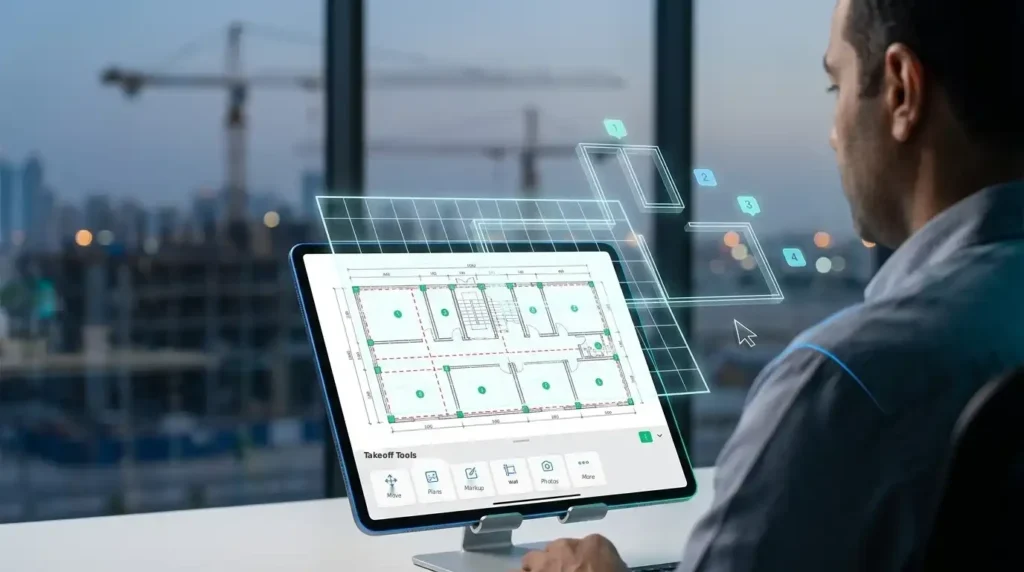
Auto Takeoff detects walls, areas, lengths, and linear elements, then fills in your takeoff items automatically. ConstructConnect says you can expect a full page of takeoff results in under a minute, and notes that users report results around 95% accurate. You then review, adjust, and finalize. Auto Takeoff requires a Core maintenance subscription or higher.
Auto Count
Auto Count finds and counts repeated symbols such as doors, windows, light fixtures, and outlets. You pick the item to count and the pages to scan (up to 10 pages at a time), and the tool processes them for you. It’s especially useful for MEP trades, where one drawing can contain hundreds of identical symbols.
Auto Scale
A wrong scale ruins every measurement that follows it. Auto Scale reads the title blocks and applies the correct scale across the whole plan set, or just the pages you select, in seconds.
Auto Bookmark
Auto Bookmark creates links between floor plans and their related detail sheets, so you stop scrolling through a 200-page set to find one section. It works in two modes: a fast mode using links already embedded in the PDF, and a more precise AI cloud analysis that takes a few minutes.
A note on the cloud: Auto Bookmark’s AI mode and other BOOST tools process plans on cloud servers. PlanSwift reminds users to make sure they have the legal right to upload the drawings, so check your project’s confidentiality terms first.
Feature 3: Assemblies That Price While You Measure
Quantities alone don’t win tenders. Prices do. PlanSwift assemblies attach materials and labor to each takeoff item, so the estimate builds itself as you measure.
Draw one partition wall and PlanSwift can calculate the studs, board, screws, insulation, and labor hours in the same step. When the PlanSwift Takeoff BOOST tools create measurements automatically, those assemblies price them straight away. That’s where the real time savings come from: AI speeds up measuring, and assemblies speed up pricing.
Feature 4: Live Excel Link for QS Teams
Most QS teams in the region already have their own BOQ templates in Excel. PlanSwift doesn’t force you to abandon them.
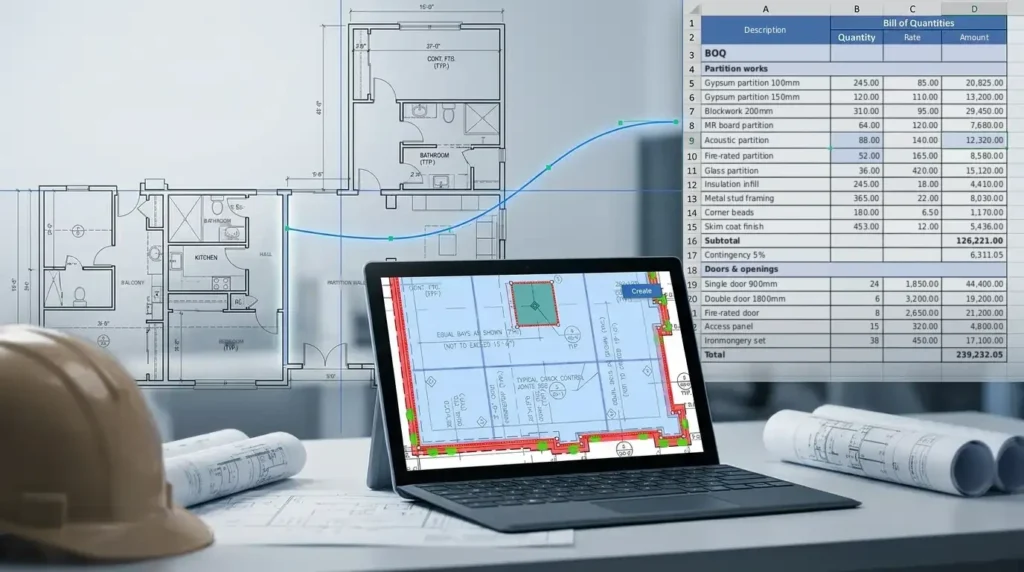
With the Live Excel Link, takeoff values connect directly to cells in your spreadsheet. If the drawing is revised and the quantity changes, the Excel value updates too. You can also import Excel templates and export data. For firms with years of refined BOQ formats, this is often the deciding feature.
Feature 5: Time-Saving Measurement Tools
Beyond the AI, PlanSwift includes smaller tools that remove daily frustration:
- Cutout tool: subtracts door and window openings from wall areas automatically
- Curved area measurement: handles non-linear shapes such as curved facades and landscaped areas
- Grid tool: lays out rafters and framing quickly
- Linear slope calculation: gives true lengths on pitched surfaces
- Color-coded takeoff: makes it easy to see what has been measured, by trade
Each one saves minutes. Across a full tender, those minutes add up to hours.
Feature 6: Plan Overlay for Revision Control
Revisions are where estimates go wrong. A column moves, a room is added, and nobody updates the quantities.
PlanSwift’s plan overlay and comparison feature places two versions of a drawing on top of each other so the differences stand out. Combined with PlanSwift Takeoff BOOST, you can re-run measurements on the changed areas instead of starting the whole page again.

Feature 7: Customization to Fit Your Workflow
No two contractors estimate the same way. PlanSwift lets you shape the software around your process:
- Custom assemblies, formulas, and templates
- Page folders to organize large plan sets
- Plugin support for specialized workflows
- Trade and manufacturer starter packs
Once your templates are set up, every new project starts from your company standard, not from a blank screen.
Feature 8: Bid Reports and Proposals
The final step is getting the numbers to the client. PlanSwift turns your estimate into structured reports and bid proposals, so you’re not re-typing quantities into a separate document. Fewer manual transfers mean fewer errors in the number that matters most: your bid price.
Manual Takeoff vs. PlanSwift vs. PlanSwift Takeoff BOOST
| Task | Manual takeoff | PlanSwift (core tools) | PlanSwift Takeoff BOOST |
|---|---|---|---|
| Setting scale | Page by page, by hand | Set per page with scale tools | Auto Scale reads title blocks across the set |
| Measuring areas and lengths | Scale ruler and calculator | Point-and-click on digital plans | Auto Takeoff produces a first pass for the full page in under a minute |
| Counting symbols | Tick marks on paper | Click each symbol | Auto Count scans up to 10 pages at a time |
| Finding detail sheets | Flip through the set | Page folders | Auto Bookmark links plans to details |
| Pricing | Separate spreadsheet | Assemblies price as you measure | Assemblies price AI results automatically |
| Estimator review | Required | Required | Required (the AI gives a head start, not a final answer) |
What This Means for GCC Estimating Teams
For a QS team in Riyadh, Dubai, or Cairo, PlanSwift Takeoff BOOST changes where the hours go. Less time on setup and counting means more time on the work clients actually pay for: checking rates, spotting scope gaps, and building a bid you can stand behind.
[Placeholder: a verified GCC client result, e.g. takeoff time before and after PlanSwift, will be added here once confirmed.]
How to Get the Most From Takeoff BOOST
- Standardize your assemblies first, so AI results are priced consistently.
- Link your existing BOQ template through the Live Excel Link.
- Build a review step into your process, where a senior estimator checks every AI result.
- Check your subscription level, since Auto Takeoff needs Core maintenance or higher.
For a deeper look at how AI takeoff works trade by trade, read our guide to AI-powered takeoff with PlanSwift. You can also learn more about PlanSwift with GFT, or read the top 10 reasons to buy PlanSwift.
Get Started with PlanSwift Takeoff BOOST
GFT has supported construction teams across the region for 20 years, with local training and support in your time zone. Whether you’re upgrading an existing license or starting fresh, our team can walk you through Takeoff BOOST™ on your own drawings.
Book a free PlanSwift Takeoff BOOST demo with GFT today.
Frequently Asked Questions
What is PlanSwift Takeoff BOOST?
Takeoff BOOST™ is a suite of four AI tools added to PlanSwift in version 02.05.00 (April 2026): Auto Takeoff, Auto Count, Auto Scale, and Auto Bookmark. Together they automate the setup and first-pass measurement of a takeoff.
How accurate is PlanSwift Takeoff BOOST?
ConstructConnect notes that users report Auto Takeoff results around 95% accurate. Results should always be reviewed and adjusted by an estimator before they go into a bid.
Does PlanSwift Takeoff BOOST replace the estimator?
No. PlanSwift describes it as a head start. The AI handles repetitive detection and counting, while the estimator reviews, adjusts, and prices the results.
Which subscription do I need for Takeoff BOOST?
Takeoff BOOST™ tools require an active maintenance subscription (Essential, Core, Advanced, or Premium). Auto Takeoff specifically requires Core or higher. Contact GFT to check your current license.
Can I still use my own Excel BOQ templates?
Yes. PlanSwift’s Live Excel Link connects takeoff quantities directly to cells in your existing Excel templates, and updates them when quantities change.
Are my drawings uploaded to the cloud?
Some Takeoff BOOST™ tools process plans on cloud servers. PlanSwift asks users to confirm they have the legal right to upload the drawings, so check your project’s confidentiality terms first.
Related Topics You Might Want to Check