Pre-Bid Takeoff Checklist: 5 Checks That Catch Costly BOQ Mistakes

A bid is only as strong as the quantities behind it. One outdated drawing, one wrong scale, or one forgotten item can turn a winning tender into a loss-making contract, or price you out of a job you should have won. A pre-bid takeoff checklist gives estimators and quantity surveyors a repeatable way to catch these mistakes before the BOQ goes out, and long before your client or a competing bidder spots them.
In this guide, we break down the five checks every takeoff should pass before submission: drawing revisions, scale checks, missing items, waste factors, and a final review. Use it as your team’s working pre-bid takeoff checklist, adapt it to your own standards, and download the printable version at the end.
Why Do Contractors Need a Pre-Bid Takeoff Checklist?
Tender periods are short, and takeoff is usually done under pressure. Estimators juggle multiple bids, late addenda, and incomplete drawing sets at the same time. In that environment, errors are rarely caused by a lack of skill. They come from skipped steps.
Research backs this up. A 2021 study published in the Journal of Materials and Construction surveyed 72 industry respondents. It found that the decisive factors in quantity takeoff accuracy were the estimator’s experience, experience with similar projects, project complexity, and project scale. In other words, accuracy depends heavily on people and process. A checklist turns the habits of your most experienced estimator into a standard the whole team follows.
A good pre-bid takeoff checklist does three things:
- It makes errors visible before they get priced into the bid.
- It creates a consistent review standard across estimators and projects.
- It leaves a written trail of assumptions that protects you during clarifications and post-award disputes.
Check 1: Are You Measuring the Latest Drawing Revisions?
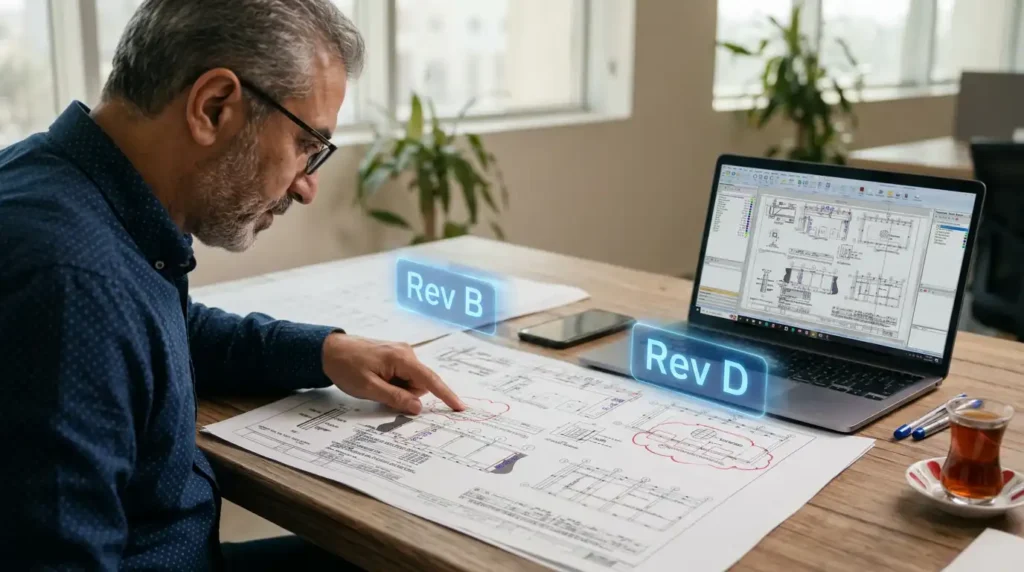
Most BOQ errors start with measuring the wrong sheet. During a tender, drawings get revised, addenda get issued, and RFI responses change scope. If your takeoff is based on Revision B while the client issued Revision D last week, every quantity on that sheet is suspect.
Drawing Revisions Checklist
- Confirm every drawing is the latest issued revision (check the title block, not the file name)
- Cross-check the drawing register or transmittal against the sheets you measured
- Review all addenda and RFI responses issued during the tender period
- Identify revision clouds and deltas, and re-measure the affected areas
- Archive superseded sheets so they can't be measured by mistake
- Log the revision number used for each sheet in your takeoff notes
File names are the most common trap here. “Final_v2_updated.pdf” tells you nothing. The title block is the only reliable source of truth for revision status.
Check 2: Is Every Sheet Measured at the Correct Scale?
One bad scale silently corrupts every quantity on a sheet, and the error is easy to miss because the numbers still look reasonable. This is especially common with PDF drawings that were resized, cropped, or printed to fit a different paper size.

Scale Checks Checklist
- Verify the scale against a known printed dimension on each sheet
- Watch for sheets with multiple scales (plans, details, and enlarged views)
- Re-check the scale on PDFs that were resized, cropped, or printed to fit
- Confirm imperial vs. metric units match the BOQ format
- Spot-check two or three measured lengths manually against dimension strings
- Never measure drawings marked "NTS" (not to scale); use the stated dimensions instead
A simple habit makes a big difference: before measuring anything on a new sheet, calibrate against the longest dimension string you can find. Digital takeoff software like PlanSwift lets you set and lock a scale per page, which removes much of this risk.
Check 3: Have You Captured Every Item in the Scope?
What you don’t count, you pay for. Missing items are often the most expensive takeoff errors because they don’t show up as a wrong number. They show up as no number at all.
Missing Items Checklist
- Compare the takeoff line by line against the specification sections
- Check that all disciplines are covered: architectural, structural, MEP, and external works
- Look for items shown only in details, schedules, or sections (not on plans)
- Confirm provisional sums and prime cost items are included
- Account for temporary works, preliminaries, and site setup
- Flag scope gaps between packages and raise RFIs before the deadline
- Check that door, window, and finishes schedules match the counted quantities
The specification is your best tool here. Drawings show what goes where, but specifications often describe items that never appear on a plan, such as testing, protection, or commissioning requirements.
Check 4: Are Your Waste Factors Realistic?
Net quantities don’t build projects; real-world quantities do. Materials are cut, lapped, broken, and supplied in fixed lengths and sheet sizes. If your BOQ prices net quantities only, the difference comes straight out of your margin.

Waste Factors Checklist
- Apply waste allowances per material type, not one blanket percentage
- Adjust for laps, cutting, and breakage (rebar, tiles, drywall, and membranes)
- Account for standard supply lengths and sheet sizes
- Confirm waste factors align with company standards and past project data
- Clearly separate net quantities from quantities including waste
- Document every waste assumption so reviewers can trace it
The right waste percentage depends on the material, the design, and your own site history. The table below shows the main waste drivers to consider for common materials:
| Material | Main waste drivers | What to check before applying waste |
|---|---|---|
| Rebar | Laps, bends, cut lengths, offcuts | Lap lengths per spec, standard bar lengths |
| Concrete | Over-excavation, spillage, formwork deflection | Pour method, ground conditions |
| Tiles and stone | Cutting at edges, breakage, pattern layout | Room geometry, tile size, laying pattern |
| Drywall and boards | Cutting around openings, standard sheet sizes | Wall heights vs. board lengths |
| Membranes and insulation | Overlaps, upstands, roll widths | Lap widths per manufacturer, roll sizes |
Keep net and gross quantities in separate columns. If a client queries your rates, you can show exactly where the allowance came from.
Check 5: Has the Takeoff Passed a Final Review?
The last 30 minutes protect the whole bid. A final review is the step most often skipped when the deadline is close, and it’s the one that catches the errors every other check missed.
Final Review Checklist
- Have a second estimator review high-value and high-risk items
- Run a sanity check on key ratios (such as rebar kg/m³ or cost/m²) against benchmarks
- Verify units of measure are consistent across the entire BOQ
- Check formulas, totals, and carry-forwards for errors
- Confirm the BOQ follows the required measurement standard (POMI, CESMM, NRM, etc.)
- List all assumptions, exclusions, and clarifications in the bid
- Save a locked, dated copy of the final takeoff and drawings used
Measurement standards matter more than many teams realize. Mixing rules from different standards produces quantities that look right but don’t match the client’s expectations. If your tender calls for NRM, the RICS NRM 2: Detailed Measurement for Building Works is the reference to follow.
Trade-Specific Checks to Add to Your Pre-Bid Takeoff Checklist
The five core checks apply to every tender, but each trade has its own blind spots. Adding a short trade-specific section to your pre-bid takeoff checklist makes sure the specialist items that are easy to miss get the same attention as the main quantities.
Structural Works
- Confirm concrete grades, cover, and exposure classes match the structural notes
- Check rebar schedules against the drawings, including starter bars and laps at construction joints
- Measure formwork to all exposed faces, including edges of slabs, beams, and openings
- Include blinding, waterproofing, and protection to foundations where specified
MEP Services
- Count fittings, valves, and supports, not just pipe and duct lengths
- Check riser diagrams and schematics for items that never appear on floor plans
- Include testing, commissioning, and balancing where the specification requires them
- Confirm builder's work in connection with services (openings, sleeves, plinths) is priced by someone
Finishes
- Cross-check room finish schedules against the finish plans for every room
- Measure skirtings, thresholds, and movement joints as separate items
- Account for different finishes on walls of the same room, such as tiled wet walls
- Check ceiling heights and bulkheads before measuring wall and ceiling areas
External Works
- Measure paving, kerbs, and edgings from the landscape drawings, not the architectural site plan
- Include drainage manholes, gullies, and connections to existing networks
- Check boundary walls, gates, and fencing against the site plan and specification
- Allow for site clearance, levelling, and reinstatement where shown
Common Takeoff Mistakes and How to Prevent Them
Most takeoff errors follow the same few patterns. Knowing why they happen makes them much easier to prevent on the next tender.
| Mistake | Why it happens | How to prevent it |
|---|---|---|
| Measuring a superseded drawing | Revisions arrive late and files are named inconsistently | Check the title block and log the revision used for every sheet |
| Wrong scale on a PDF sheet | Drawings were resized or printed to fit | Calibrate against a known dimension before measuring |
| Double counting | The same item appears on plans, sections, and details | Measure each item from one source sheet and mark it as done |
| Missing specification items | Scope is described in text, not drawn | Review the specification section by section against the BOQ |
| Unit mismatches | Lengths, areas, and counts mixed in one line | Lock units per BOQ item and check them in the final review |
| Net quantities priced as gross | Waste was never added or documented | Keep net and gross columns separate, with each allowance noted |
Each of these mistakes is caught by at least one step in the pre-bid takeoff checklist above. The point of the checklist is not to slow estimators down, but to make sure these predictable errors never reach the client.
Manual vs. Digital Takeoff: How Each Handles the Checklist
Every item on this pre-bid takeoff checklist can be done manually, but digital takeoff tools change how much effort each check takes.
| Checklist area | Manual takeoff | Digital takeoff (e.g. PlanSwift) |
|---|---|---|
| Drawing revisions | Compare printed sets by eye | All sheets and revisions organized in one project file |
| Scale checks | Scale ruler per sheet; easy to miss resized PDFs | Scale set and locked per page |
| Missing items | Highlighters and memory | Color-coded takeoff shows what’s measured and what isn’t |
| Waste factors | Manual calculation per line | Waste built into assemblies and applied automatically |
| Final review | Re-add totals by hand | Quantities linked to drawings for instant traceability |
Digital tools don’t replace the checklist. They make each step faster and easier to verify. To see what this looks like in practice, our guide to PlanSwift Takeoff BOOST features covers the tools that speed up these checks.
How to Make This Pre-Bid Takeoff Checklist Part of Your Workflow
A checklist only works if it’s actually used. A few practical steps help it stick:
- Make it a sign-off, not a suggestion. No BOQ leaves the office without a completed pre-bid takeoff checklist attached to the bid file.
- Assign a reviewer. The person who did the takeoff should not be the only person who checks it.
- Customize it. Add company-specific items, such as your standard waste factors or regional measurement rules.
- Learn from every bid. When a post-award error appears, trace it back and add a line to the checklist so it doesn’t happen again.
Teams that need automated quantities from BIM models and PDFs can explore Sparkel AI for automated BOQs, and firms that want expert support can work with GFT’s quantity surveying team.
Download the Free Pre-Bid Takeoff Checklist
Catch costly BOQ mistakes before your client does. Download GFT’s printable pre-bid takeoff checklist and use it on your next tender. Want to cut takeoff time while you’re at it? Talk to GFT about PlanSwift, training, and quantity surveying support across the MENA and GCC region.
Want Faster, More Accurate Takeoffs on Your Next Tender?
Frequently Asked Questions
What is a pre-bid takeoff checklist?
A pre-bid takeoff checklist is a structured list of checks estimators complete before submitting a BOQ. It covers drawing revisions, scale verification, missing items, waste factors, and a final review to catch quantity errors before the bid goes out.
What are the most common quantity takeoff mistakes?
The most common mistakes are measuring outdated drawing revisions, using the wrong scale, missing items shown only in specifications or details, ignoring waste and supply sizes, and skipping a final independent review.
How do I check the scale on a PDF drawing?
Measure a known printed dimension on the sheet and compare it with the stated value. If they don’t match, recalibrate. Always check PDFs that may have been resized or printed to fit, and never measure sheets marked “not to scale.”
Should waste factors be included in the BOQ?
It depends on the tender requirements and measurement standard. Many standards require net quantities, with waste priced into the rates. Either way, keep net and gross quantities separate and document every waste assumption.
Can takeoff software replace a pre-bid takeoff checklist?
No. Software like PlanSwift makes each check faster and more reliable, but it doesn’t replace the review process. The best results come from combining digital takeoff tools with a consistent pre-bid takeoff checklist.
Related Topics You Might Want to Check