AI Content Management in Construction: 7 Ways to Secure Project Data and Unite Your Teams
Every drawing revision, RFI, site photo, and submittal your company produces is sensitive business data. Yet on most projects, that data lives in email threads, shared drives, personal laptops, and WhatsApp groups. AI content management in construction changes that picture: it gives IT managers one governed environment where project content is organized, searchable, and protected, while site and office teams collaborate on the same current version. In this guide, we explain the risks of scattered project data, what AI actually does to fix them, and how to evaluate a platform before you roll it out.

Why Is Scattered Project Content a Security Risk for Construction Firms?
Construction runs on documents, and those documents move fast between contractors, consultants, subcontractors, and owners. Every copy that leaves a controlled system becomes a copy your IT team can no longer see, revoke, or audit.
The threat is measurable. ReliaQuest reported that ransomware targeting construction companies grew 41% between October 2023 and September 2024, and that credential exposure incidents rose 83% over the same period. In September 2025 alone, construction and engineering was the most impacted sector for ransomware, making up 11.4% of 562 publicly reported attacks, according to figures cited by Engineering News Record.
For an IT manager, that means three exposures stack up on every project:
- Drawings and contracts shared as attachments, with no expiry and no access log.
- Shared passwords on generic project accounts that nobody rotates after a subcontractor leaves.
- Site photos and reports stored on personal phones, outside any backup or retention policy.
What Does Disorganized Content Cost Your Teams Every Week?
Security is only half the problem. The other half is productivity. A July 2026 Dodge Data and Analytics survey of 688 construction professionals in the UK and Ireland (commissioned by Procore) found that teams lose 18% of project time searching for fragmented information. That equals roughly 8.6 working weeks per person, per year. The same study found that 28% of project time is lost to rework caused by outdated documentation (BDC Magazine).
Those figures come from a European market, but the pattern is familiar across the GCC: a site engineer builds from revision C while the office already issued revision E. The cost lands on the schedule, the budget, and the client relationship.
What Is AI Content Management in Construction?
AI content management in construction is the use of a cloud platform, with built in artificial intelligence, to capture, classify, version, search, and secure every piece of project content in one place. It goes beyond a digital filing cabinet. The AI layer reads the content itself, so the system understands that a PDF is a structural drawing, that a photo belongs to Level 4, or that an RFI references a specific specification clause.
In practice, AI content management in construction covers four jobs:
- Capture: documents, photos, 360 degree walkthroughs, and field forms flow into one environment automatically.
- Organize: AI tags, links, and versions content so the latest revision is always the default.
- Retrieve: teams ask a question in plain language and get the answer with its source document.
- Protect: permissions, audit trails, and encryption apply to every file by default, not by habit.
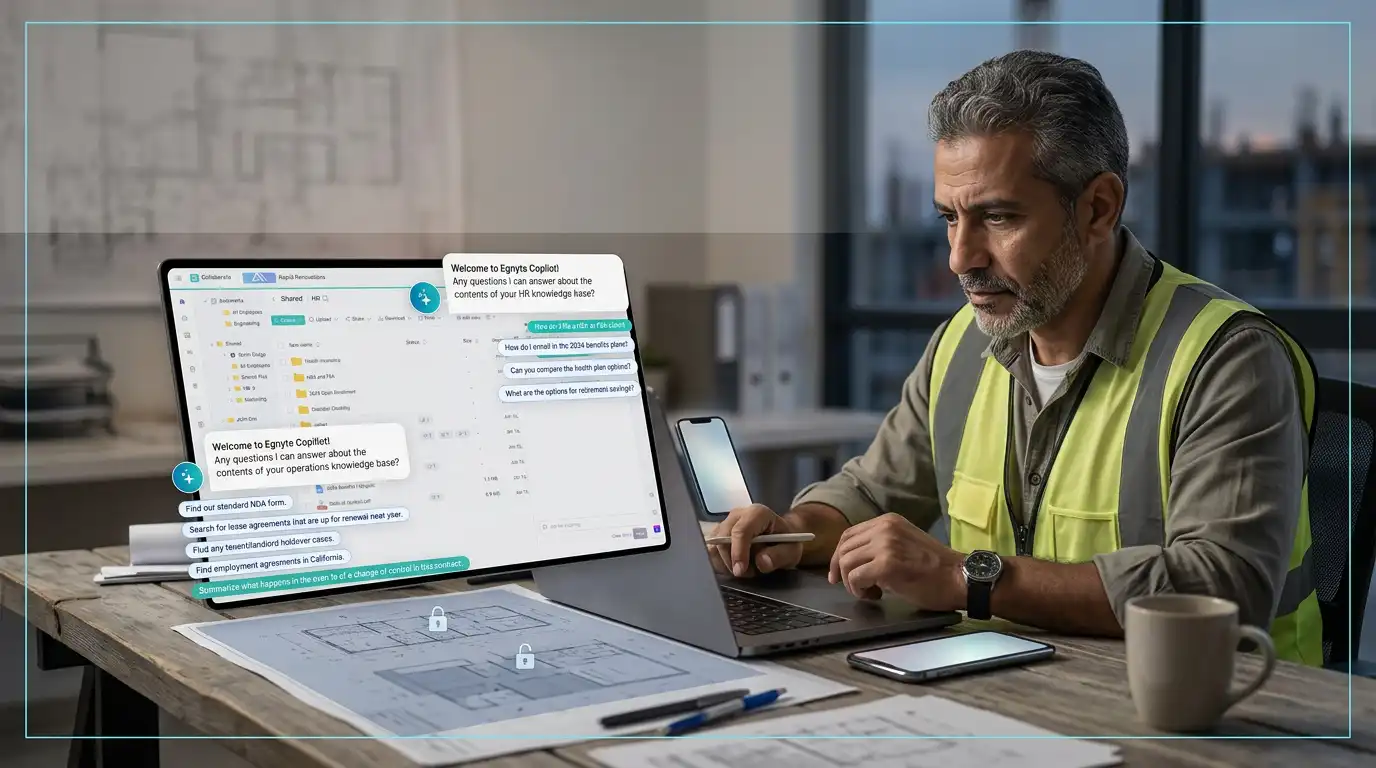
With Egnyte from GFT, this becomes one secure content platform for the whole firm. Egnyte’s AI Search lets teams find project files with plain language questions instead of exact keywords, and its AI Assistant summarizes documents and answers questions grounded in your own project data. Purpose built AEC agents, including the Specifications Analyst and the Building Code Analyst, parse drawings and code requirements to flag conflicts before they reach the review authority.
For IT, the critical detail is control: the AI Assistant cannot access content a user does not have permission to view, and Egnyte does not use customer data to train its models. The platform is ISO 27001 and SOC 2 Type 2 certified, includes ransomware detection with snapshot recovery, and is trusted by 23,000+ customers across 112 countries.
How Does AI Organize Drawings, RFIs, and Site Photos Automatically?
Manual filing depends on discipline, and discipline breaks under deadline pressure. AI removes that dependency.
With Procore from GFT, teams work in a single connected environment for drawings, specifications, RFIs, and submittals, and Procore’s Helix AI lets users search and query project records in plain language instead of opening folders one by one.
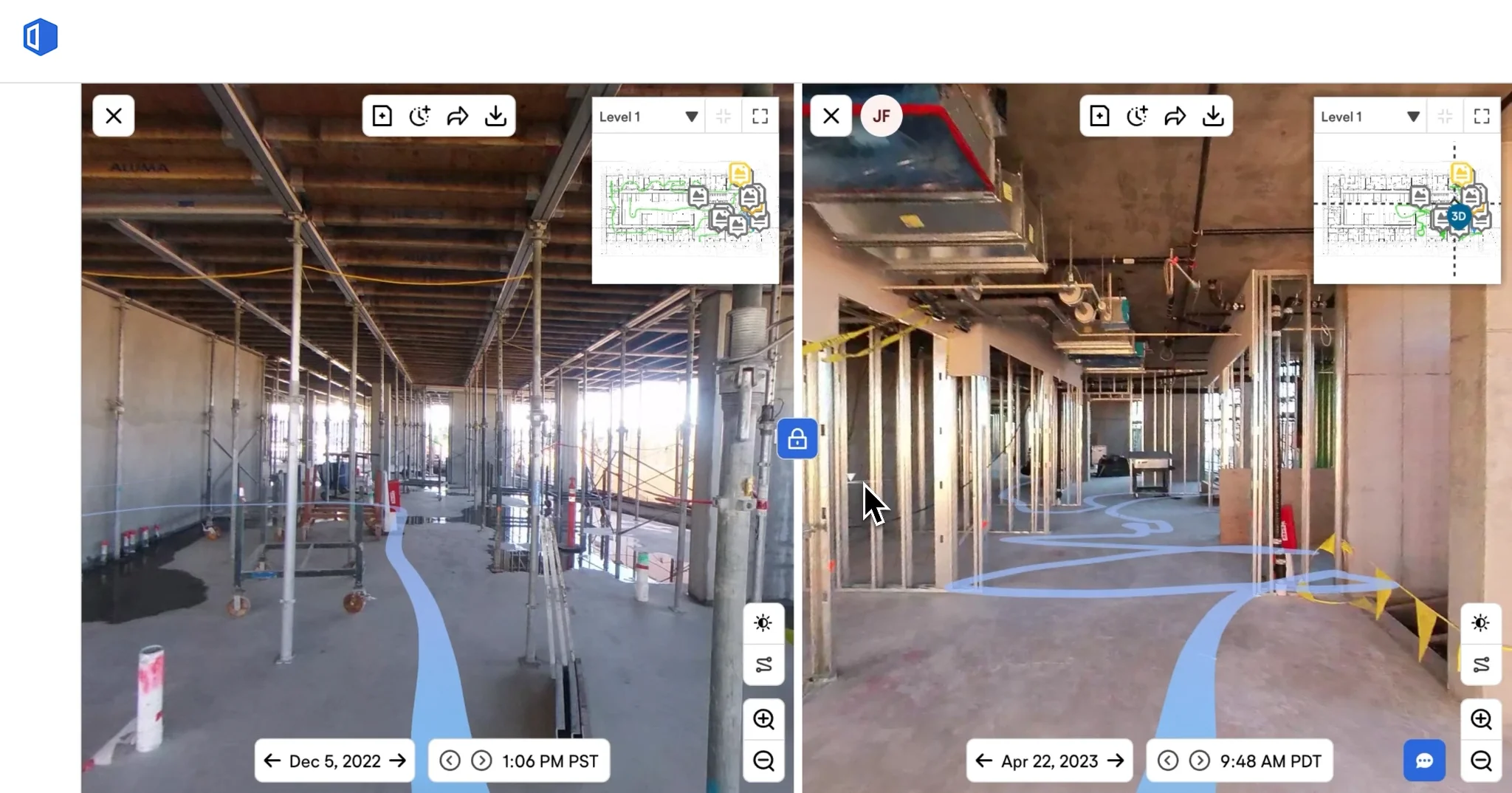
With OpenSpace AI powered 360 degree site capture from GFT, a site walk recorded on a helmet camera is automatically mapped to the floor plan, so every image lands in the right location and date without anyone renaming a file.
With PlanRadar from GFT, defects, tasks, and inspection forms are logged on the plan itself, with photos and comments attached to the exact point on the drawing.
The result for IT: fewer orphan files, fewer duplicate copies, and one system of record to secure.
How Does AI Content Management in Construction Protect Sensitive Data?
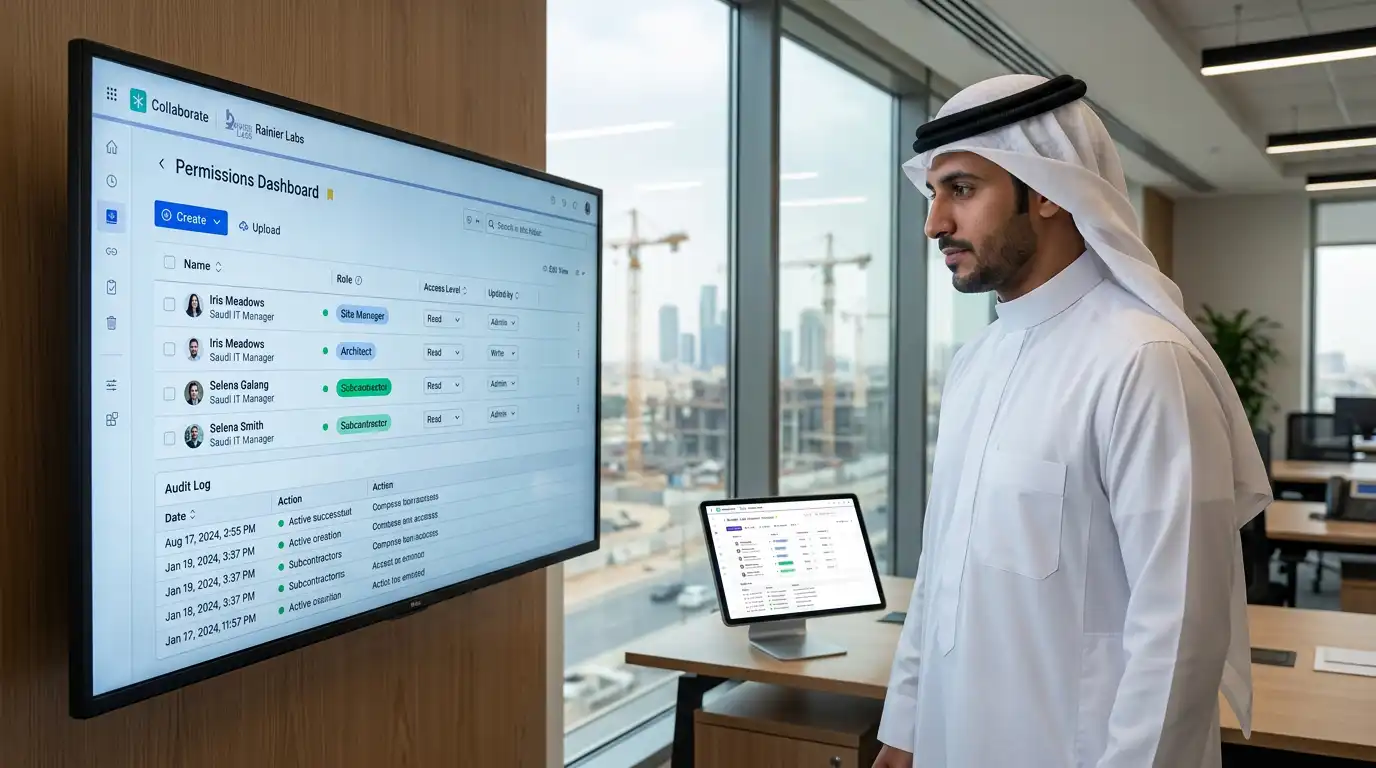
This is the question IT managers ask first, and it is the right one. A strong platform for AI content management in construction should enforce security controls centrally, so protection does not depend on each user’s choices.
Look for these controls:
- Role based permissions: decide which user sees which folder, drawing set, or cost document, and whether they can view, edit, or download.
- Single sign on and multifactor authentication: connect the platform to your existing identity provider and remove shared project passwords.
- Encryption and certified hosting: PlanRadar, for example, is ISO 27001 certified, encrypts data at rest, and supports single sign on, multifactor authentication, and custom password policies.
- Complete audit trails: see who opened, changed, or shared any document, and when.
- Instant offboarding: revoke a subcontractor’s access to every project in one step when their package closes.
There is also a new risk to manage: unsanctioned AI. IBM’s 2025 Cost of a Data Breach Report found that the global average breach now costs $4.44 million, that 1 in 5 organizations suffered a breach linked to shadow AI, and that shadow AI added $670,000 to the average breach cost.
Among organizations that reported a breach of an AI model or application, 97% lacked proper AI access controls. When staff paste drawings or contracts into public AI tools because they have no approved alternative, your data leaves the building. Giving teams governed AI inside the platform they already use is the most practical way to close that gap.
How Does AI Improve Team Collaboration Between Site and Office?
Security and collaboration are not opposing goals. When every team works from one source of truth, sharing becomes safer and faster at the same time.
Here is what changes on a typical project:
- The site team uploads a daily walkthrough, and the project manager reviews progress from the office the same afternoon.
- An RFI response is published once, and every user who needs it sees the updated answer instantly.
- The QS team, the BIM team, and the site team comment on the same drawing, instead of exchanging marked up PDFs by email.
- Owners and consultants get controlled, read only access, so external collaboration never means sending files outside the system.
The same Dodge survey found that 92% of teams using a connected data environment reported improved data accuracy and fewer miscommunication errors, and 57% managed 21% to 30% more work without adding headcount. That is the collaboration payoff of AI content management in construction: more output from the same team, with less friction.
Manual Content Management vs. AI Content Management: A Side by Side Comparison
| Area | Manual process (email, shared drives, WhatsApp) | AI content management platform |
|---|---|---|
| Finding a document | Search folders and inboxes manually | Ask in plain language, get the source file |
| Version control | Depends on file names like “final_v3” | Latest revision served by default |
| Site photos | Stored on personal phones | Auto mapped to plan location and date |
| Access control | Shared passwords, no expiry | Role based permissions, SSO, MFA |
| Audit trail | None | Full log of who viewed, edited, or shared |
| Offboarding | Chase every copy manually | Revoke all access in one step |
| AI usage | Staff use public tools with no oversight | Governed AI inside the approved platform |
IT Manager's Checklist: Rolling Out AI Content Management in Construction
Security and Compliance
- Confirm the vendor's certifications (for example ISO 27001) and data hosting location.
- Connect single sign on and enforce multifactor authentication for every user.
- Define role based permission templates for internal staff, subcontractors, and clients.
- Verify audit logs can be exported for internal and client reviews.
Collaboration and Adoption
- Map current content sources: shared drives, email, messaging groups, and personal devices.
- Migrate active projects first and archive closed projects in read only mode.
- Train site teams on mobile capture before training office teams on reporting.
- Publish a clear policy on which AI tools are approved for project data.
Measuring Results
- Track time spent searching for documents before and after rollout.
- Track rework caused by outdated revisions.
- Track time to revoke access when a subcontractor leaves.
Want to see these tools in action on real workflows? Read how PlanRadar replaces paper punch lists, and how teams resolve BIM clashes before they cost you.
Why IT Managers Across MENA Choose a Local Partner for AI Content Management
Software alone does not secure a project. Configuration, migration, training, and ongoing support decide whether your platform becomes the single source of truth or one more system people work around.
For 20 years, we have supported 800+ MENA construction leaders across 27 countries and 3,500+ projects. As a ConTech partner, we deliver the complete ecosystem: Procore, PlanRadar, OpenSpace, Egnyte, PlanSwift, ZWCAD, and Sparkel, backed by local implementation, hands on training, and dedicated support that understands GCC project realities.
AI content management in construction is not a future trend. It is how firms protect their data and keep site and office aligned today. We help you choose the right platform, configure it securely, and get your teams using it from week one.
See how it works. Talk to a GFT consultant and see how AI content management in construction can secure your project data and connect your teams.
Frequently Asked Questions
What is AI content management in construction?
It is a cloud platform that uses artificial intelligence to capture, organize, version, search, and secure all project content, including drawings, RFIs, submittals, site photos, and reports, in one governed environment.
Is cloud based construction content management secure?
Yes, when the platform enforces central controls. Look for ISO 27001 certification, encryption at rest, single sign on, multifactor authentication, role based permissions, and full audit trails.
How does AI reduce the risk of shadow AI?
By giving teams approved AI search and assistance inside the platform they already use, so they stop pasting sensitive drawings and contracts into public AI tools. IBM’s 2025 report linked shadow AI to $670,000 in extra average breach costs.
How much time can AI content management save?
A 2026 Dodge Data and Analytics survey found construction teams lose 18% of project time, about 8.6 working weeks a year, searching for fragmented information. Centralizing content with AI search targets that lost time directly.
Which GFT solutions support AI content management?
Egnyte secures and organizes all project content with AI Search, an AI Assistant, and purpose built AEC agents. Procore connects drawings, specifications, RFIs, and submittals with Helix AI search. PlanRadar handles documentation, defects, and inspections on the plan. OpenSpace maps 360 degree site capture to your drawings automatically. GFT provides all four with local implementation, training, and support.
Related Topics You Might Want to Check